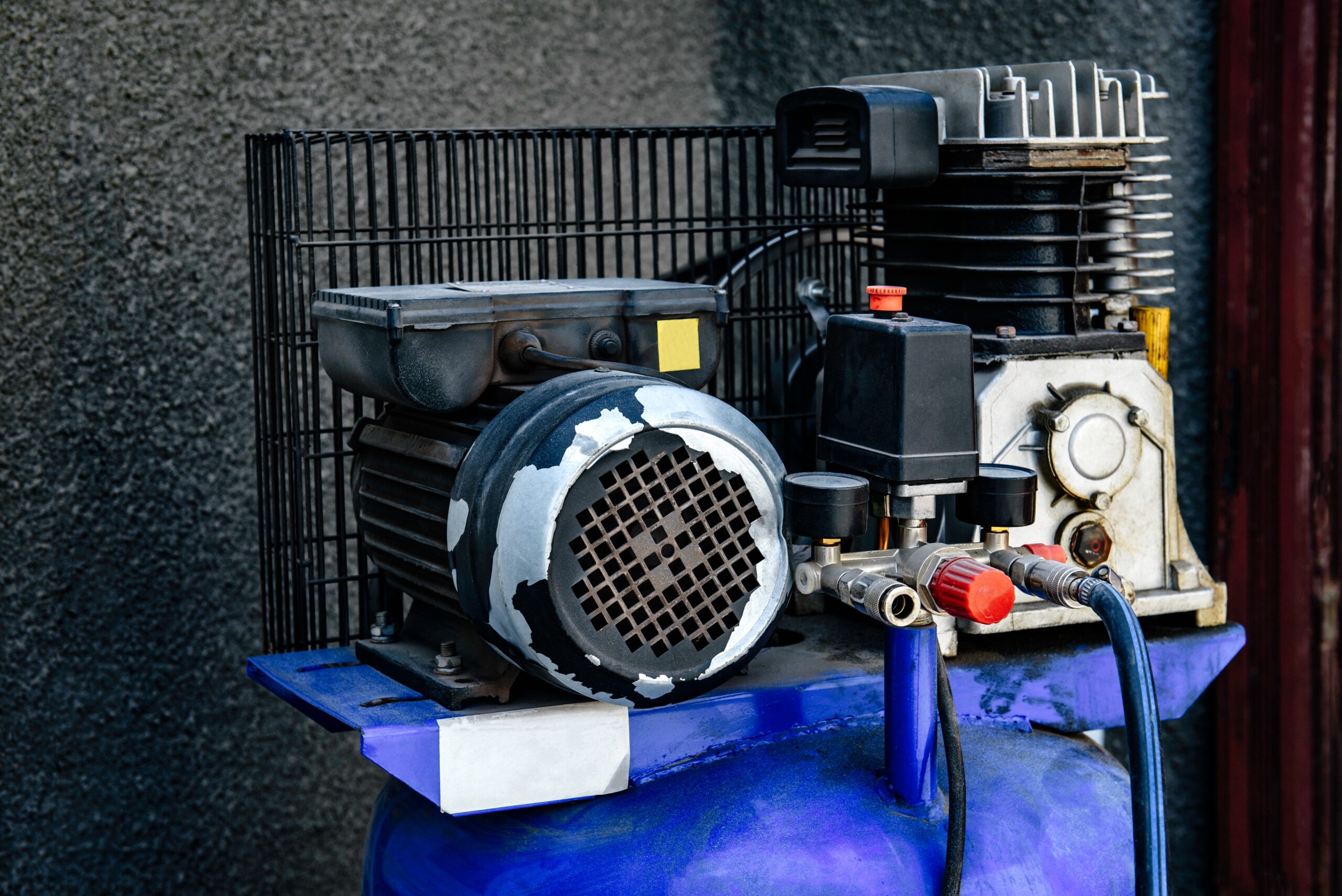
A PCP air compressor duty cycle determines how long the compressor can operate before it needs a rest or cooling period. To prevent overheating, follow the manufacturer’s runtime limits, maintain adequate ventilation, and allow the compressor to cool according to the instructions for your specific model.
The correct operating schedule depends on the compressor model, its cooling system, and the manufacturer’s specifications. For more information about choosing an air supply method, read our guide to PCP air tank filling options, which compares hand pumps, electric compressors, and air tanks.
Quick Answers About PCP Air Compressor Duty Cycle
- What is a PCP air compressor duty cycle? It is the specified operating and rest pattern that helps keep the compressor within its intended operating limits.
- How can you prevent PCP air compressor overheating? Follow the manufacturer’s runtime limits, maintain adequate ventilation, and use the recommended cooling intervals.
- Should you keep the cooling fan running after filling? Follow the instructions for your compressor model, as some units require additional cooling after compression stops.
- How often should you maintain a PCP air compressor? Follow the manufacturer’s maintenance schedule and inspect accessible components regularly for damage, dirt, or wear.
What Is a PCP Air Compressor Duty Cycle?
A 50% duty cycle generally indicates that a compressor operates for half of its specified duty-cycle period and rests for the other half, subject to the manufacturer’s definition. However, the permitted runtime and cooling interval depend on the compressor’s design and operating instructions. Always consult the manual before determining how long your unit can run continuously.
Portable PCP air compressors have different continuous operating limits and cooling requirements. Check the manufacturer’s manual for the maximum runtime and required rest period for your specific model. Never assume that another compressor’s operating schedule is suitable for your equipment.
Always consult the manual for your exact compressor model before deciding how long to run it.
Why Does a PCP Air Compressor Overheat?
A PCP air compressor can overheat when heat builds up faster than its cooling system can remove it. High-pressure compression naturally generates heat, but operating conditions and maintenance problems can make temperatures rise beyond the manufacturer’s recommended limits.
Common causes include:
- Exceeding the recommended duty cycle: Running the compressor too long without a cooling break can cause excessive heat buildup.
- Poor ventilation: Walls, clutter, direct heat sources, or blocked air vents can restrict airflow around the unit.
- Cooling fan problems: A damaged, obstructed, or nonfunctioning fan can reduce the compressor’s ability to dissipate heat.
- Dirty air intakes and cooling surfaces: Dust and debris can interfere with airflow and cooling performance.
- High ambient temperatures: Operating in a hot environment can make it harder for the compressor to maintain its intended operating temperature.
- Inadequate maintenance: Worn seals, clogged filters, or other maintenance issues can affect performance, depending on the compressor design.
Manufacturer guidance commonly emphasizes proper ventilation, functioning cooling fans, and adherence to operating limits as key precautions against overheating.
How Long Should You Run a PCP Air Compressor Before Letting It Cool?
PCP air compressors have different operating limits and cooling requirements. Before each filling session, check the manufacturer’s instructions for the maximum continuous runtime, required cooling interval, temperature limits, and cylinder-filling restrictions.
The following factors help determine the appropriate operating schedule:
- Maximum runtime: The longest continuous operating period permitted by the manufacturer.
- Cooling interval: The required rest period between operating sessions.
- Temperature limits: The specified thresholds for stopping compression or initiating a cooling procedure.
- Filling requirements: The pressure and cylinder-capacity limits supported by the compressor.
Do not apply another compressor’s operating schedule to your own unit. If the compressor reaches its temperature limit before the expected runtime, stop compression and follow the prescribed cooling procedure.
How Can You Prevent PCP Air Compressor Overheating?
A properly organized workspace can make routine equipment checks easier and help maintain safe operating conditions. Learn more about setting up a safe PCP airgun workspace, including ventilation and essential maintenance tools.
1. Follow the Recommended Duty Cycle
Check the owner’s manual before every new compressor setup or after changing equipment. Do not assume that a compressor can run continuously just because it has an automatic shutoff feature.
Track operating time during extended filling sessions. If the manufacturer requires a cooling interval, allow the compressor to rest even if it appears to be functioning normally. Never restart the unit before the required cooling period has elapsed.
2. Keep the Compressor in a Well-Ventilated Area
Place the compressor on a stable surface with enough clearance for cooling air to circulate. Keep ventilation openings clear and avoid placing the unit in an enclosed cabinet or cramped space.
If you operate the compressor outdoors, choose a shaded, dry location protected from rain and excessive heat. Follow the manufacturer’s environmental and placement requirements, especially for portable units.
3. Check the Cooling Fan Before Operation
If your compressor uses an electric cooling fan, confirm that it starts and operates as instructed. Some portable models require the cooling fan to run before the compression function begins.
Stop using the compressor if the fan fails, makes unusual noises, or appears obstructed. Do not continue filling while waiting for the unit to cool through passive airflow alone unless the manufacturer specifically permits that procedure.
4. Monitor Temperature During Filling
Watch the temperature display or indicator if your compressor has one. Learn the warning thresholds specified in the manual and stop the compression function when the stated limit is reached.
Some portable PCP air compressor manuals specify a temperature threshold at which users should stop the compression process and allow the cooling system to operate as directed. Follow the temperature limits and shutdown procedures provided in the manual for your specific compressor, as these requirements vary by model.
If your compressor does not display temperature, follow its specified runtime and cooling schedule. Do not rely on touching hot components to judge whether the unit is safe to operate.
5. Avoid Unnecessary Continuous Filling
Plan your filling sessions around the compressor’s rated capacity and intended use. Filling a larger cylinder or repeatedly topping up several airguns can increase the total operating time and heat generated.
Allow for the cooling periods specified in the manual. Never exceed the compressor’s rated pressure or the maximum working pressure of the airgun or cylinder being filled.
What Maintenance Helps Keep a PCP Air Compressor Cool?
Regular equipment care is important beyond the compressor itself. Our guide to proper PCP air rifle maintenance explains how to care for seals, maintain appropriate air pressure, and follow model-specific maintenance instructions.
Use this maintenance checklist as a general starting point.
Before Each Filling Session
Check the power supply, visible cables, hose connections, ventilation openings, and cooling fan. Look for obvious damage, leaks, or unusual signs of wear.
After Use
Allow the compressor to complete its prescribed cooling procedure. Inspect accessible components for dirt or damage and store the unit according to the manufacturer’s instructions.
At the Recommended Service Interval
Clean approved air intakes, inspect filters and seals, and replace serviceable parts as directed. Check lubricant levels only on models that require lubrication.
Some portable PCP air compressor manuals specify maintenance intervals based on the number of fills or cumulative operating hours. These intervals vary by model and may include inspecting seals, cleaning approved components, and checking for signs of wear. Always follow the maintenance schedule provided for your specific compressor.
Disconnect the power supply and allow the compressor to cool before performing permitted maintenance. Never open a high-pressure system or disassemble sealed components unless the manufacturer authorizes the procedure and you are qualified to perform it.
What Are the Warning Signs of an Overheating PCP Compressor?
Common warning signs include:
- A temperature warning or automatic thermal shutdown.
- Cooling fans that stop, slow down, or make unusual noises.
- An unexpected loss of performance or abnormally slow filling.
- Unusual smells, smoke, or signs of electrical damage.
- Repeated shutdowns before the expected operating cycle is complete.
An automatic shutdown may indicate that the compressor has reached a temperature or runtime limit. It should not be treated as an inconvenience to bypass.
If the unit shuts down unexpectedly, stop the filling process and follow the troubleshooting instructions. If you notice smoke, burning smells, damaged wiring, or abnormal mechanical noises, disconnect power if it is safe to do so and seek qualified service. Do not repeatedly restart a compressor that continues to overheat.
How Does Proper Cooling Extend Compressor Life?
Proper cooling helps reduce thermal stress on components such as seals, lubricated parts, and other heat-sensitive elements. Excessive heat can accelerate wear, reduce performance, and contribute to premature component failure.
Following the recommended duty cycle also gives the cooling system time to remove accumulated heat between operating sessions. When combined with regular maintenance, appropriate ventilation, and correct pressure settings, this helps the compressor operate within its intended limits.
However, cooling alone cannot compensate for defective parts, incorrect electrical power, blocked cooling passages, or operation beyond the equipment’s rated capacity. Persistent overheating requires troubleshooting rather than simply adding longer breaks.
Frequently Asked Questions
1. What is the ideal duty cycle for a PCP air compressor?
There is no universal ideal duty cycle. The appropriate operating and cooling times depend on the model, its cooling system, and the manufacturer’s specifications.
2. Can I run my PCP air compressor continuously if it has a cooling fan?
Not necessarily. A cooling fan helps remove heat, but it does not automatically make a compressor suitable for continuous operation. Follow the specified duty cycle even when the fan is working correctly.
3. Should I turn off the cooling fan when the compressor stops?
Follow the manufacturer’s instructions. Some portable PCP compressors require the fan to continue running after the compression function stops, particularly when the unit has reached a temperature threshold.
4. Why does my PCP compressor overheat before reaching its maximum runtime?
Possible causes include high ambient temperatures, restricted ventilation, a malfunctioning fan, excessive load, or a maintenance issue. Stop operation if the compressor reaches its temperature limit, then consult the manual or a qualified technician.
5. How often should I maintain my PCP air compressor?
Follow the maintenance schedule for your exact model. Inspect accessible components regularly, keep cooling openings clear, and service filters, seals, and lubrication systems according to the manufacturer’s instructions.
Conclusion
Preventing PCP air compressor overheating starts with understanding your equipment’s duty cycle and following the manufacturer’s operating instructions. Proper ventilation, recommended cooling intervals, and routine maintenance can help reduce unnecessary wear and support reliable performance.
Before each filling session, confirm that your compressor is operating within its specified limits. If it repeatedly overheats or shuts down unexpectedly, stop using it and consult the manufacturer’s troubleshooting guidance or a qualified technician.